






Gusto is a robust payroll software solution designed for small to medium-sized businesses across a wide range of industries. Its intuitive interface makes managing payroll far easier, streamlining complex tasks like tax calculations, accounting software integrations, and reporting. The platform also supports employee self-service through its mobile app, allowing team members to quickly access tax forms, pay stubs, and other essential documents.
That said, Gusto may fall short for businesses seeking more advanced non-payroll features—such as built-in time tracking—without relying on add-ons or third-party tools. It’s also worth noting that Gusto doesn’t offer a free plan, and the web app lacks convenient biometric login options. For companies seeking a more feature-rich or budget-friendly solution, exploring alternatives might be worthwhile.
Key Features
Gusto offers a well-rounded set of features designed to simplify payroll and employee management for small and mid-sized businesses. Its employee management tools keep all essential information organized, from benefits to deductions, making HR tasks far more efficient. The built-in time tracking system also allows employees to log their hours easily across different channels, ensuring accurate payroll processing without the usual manual workload.
The platform further streamlines operations with automated payroll calculations, including tax withholding and timely payments through direct deposit. Gusto also integrates smoothly with a wide range of accounting and business software, helping companies maintain consistent workflows and avoid data duplication—making it a practical and convenient solution for modern teams.
Pros
• Intuitive, user-friendly interface
• Simple and accessible employee time tracking
• Automatic tax calculations and timely payments
• Strong and responsive customer support
Cons
• No search bar on the main dashboard
• Lacks biometric login options on desktop
Compare Gusto to The Best Online Payroll Services

Many users who have struggled with outdated or overly complex payroll systems find Gusto to be a breath of fresh air. Its clean interface and simple workflows make it easy for employees to manage their own information, reducing the administrative burden on employers. You don’t need to be an HR or payroll expert to run payroll, handle benefits, or stay compliant—Gusto guides you through everything with intuitive, point-and-click controls. Automatic tax calculations and filings each pay period further remove stress from the process.
We can personally vouch for Gusto’s reliability—it’s the platform we use to ensure every team member is paid accurately and on time. Its consistency and user-friendliness make it a standout choice for small to mid-sized businesses that want a streamlined payroll experience without technical headaches.
However, Gusto isn’t the perfect fit for every organization. Larger companies or employers managing a global workforce may find more robust or internationally focused alternatives better suited to their needs. In today’s crowded market of payroll providers, Gusto stands out for its user interface, but here’s how it compares across top competitors: Rippling leads for overall versatility, BambooHR shines for employee-centric operations, Deel excels in automation, and ADP helps businesses avoid growing pains—while Gusto remains one of the best options for ease of use.
Mobile app
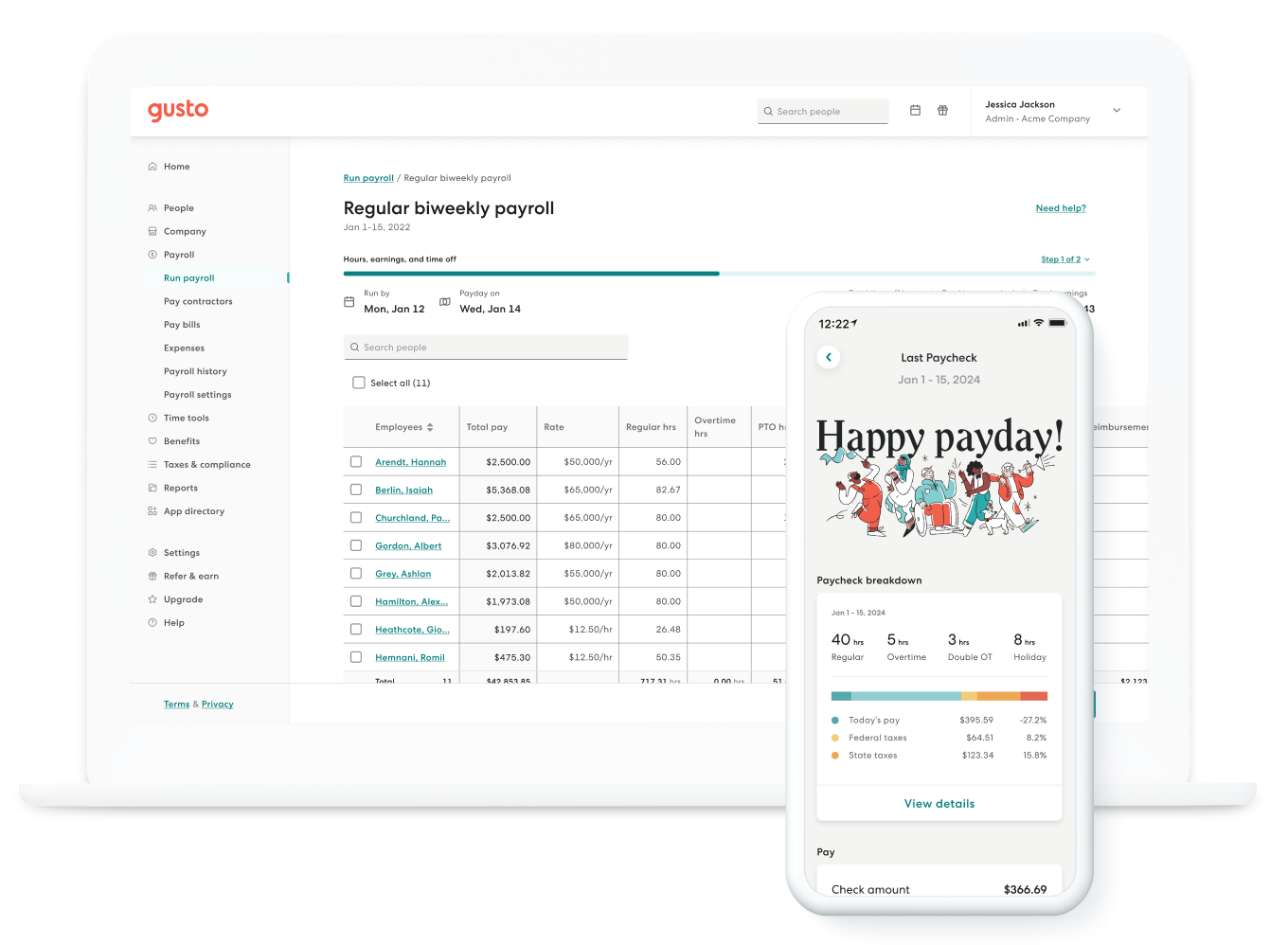
Gusto Wallet—Gusto’s mobile app for iOS and Android—is designed exclusively for employees and mirrors the functionality of the web-based employee dashboard. Through the app, employees can quickly view paychecks and W-2s, with each paycheck showing a detailed breakdown of hours worked, taxes withheld, and deductions. It’s simple, clean, and gives employees clear visibility into their earnings and tax documents.
One standout feature is the paycheck splitter, which allows employees to automatically divide their pay into multiple bank accounts, such as checking and savings. The app also functions as a time tracker, enabling hourly employees to clock in and out in real time and review their past shifts. However, this particular feature can be unreliable at times, which I’ll cover in more detail later in the “Time Tracking” section.
Additionally, Gusto Wallet includes built-in budgeting tools that help employees set monthly spending limits for essentials like rent, groceries, and other necessities. The app compares real spending against budget goals, offering a helpful snapshot of financial habits. For employees looking to better manage their personal finances, these budgeting features can be a meaningful added benefit.
Gusto Core Functionalities
Employee Management
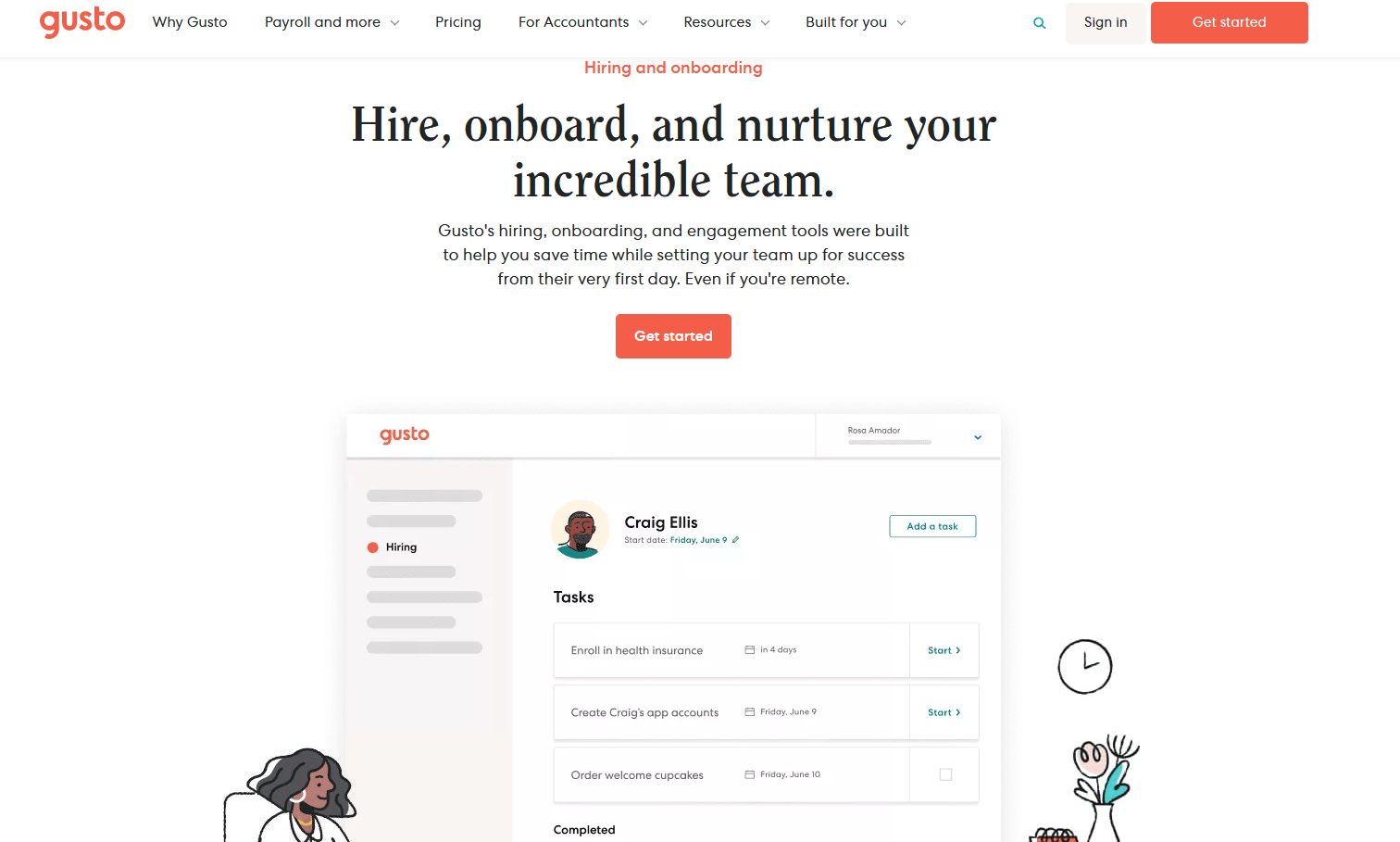
Setting up your employees in Gusto is straightforward with the dedicated “People” tab. Here, you can add team members, view an organizational chart, and manage hiring, onboarding, and background checks through the Gusto Recruiting integration. The “Expenses” menu allows employees to upload receipts via desktop (note: the mobile app doesn’t support receipt uploads) and manually input amounts. Once reviewed, expenses are automatically reimbursed in the next payroll cycle. Gusto also supports a wide range of employee benefits, including health plans, 401(k) retirement options, commuter benefits, and charity matching. For more complex benefits like 401(k) plans, integrations with partners such as Human Interest, Guideline, or Vestwell are required.
Time Tracking
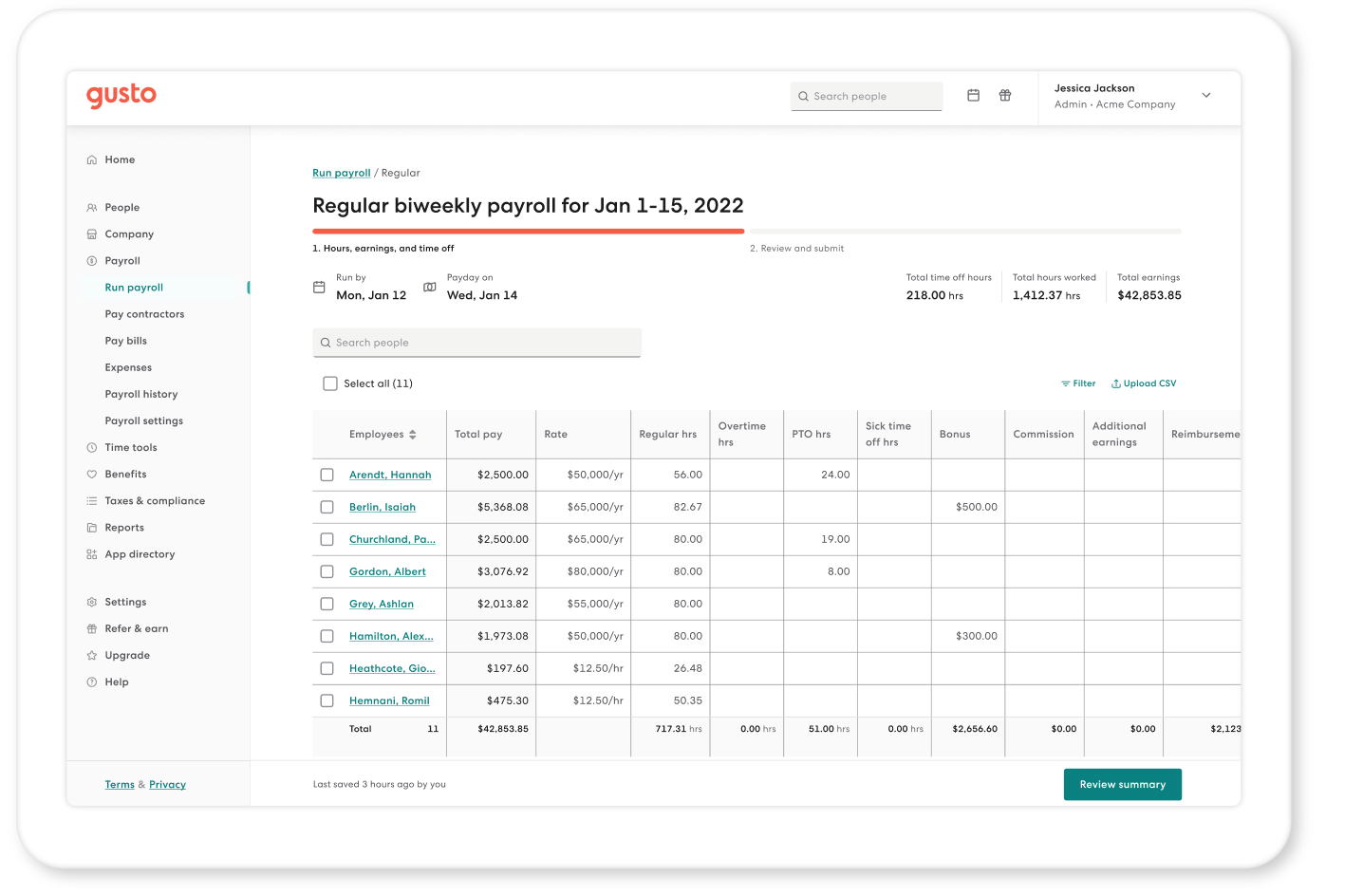
Gusto streamlines employee time tracking through four methods: supervisor input, employee self-entry, time kiosks on shared devices, and the Gusto Wallet mobile app. Hours automatically sync with payroll, making it easy to review and adjust timesheets. Geolocation can be enabled to verify clock-ins, though some users may encounter app errors when using this feature. While Gusto tracks overtime and breaks, it lacks automated reminders for labor law compliance. On the plus side, project tracking allows employees to assign hours to specific tasks, ideal for businesses with multiple clients or billable projects.
Payroll Processing
Gusto simplifies payroll by automatically calculating employee wages and tax withholdings, including federal, state, Social Security, and Medicare contributions. The platform files taxes, remits payments, and summarizes payroll data in an intuitive dashboard. Employers can choose direct deposit speeds—next-day, 2-day, or 4-day—customize bank descriptors for paychecks, and add irregular earnings such as bonuses, commissions, or severance. Paper check options are also available, with printing handled in-house or by Gusto for a small fee. This combination of automation and flexibility makes payroll accessible even to those without HR or payroll experience.
Gusto Pricing and Options
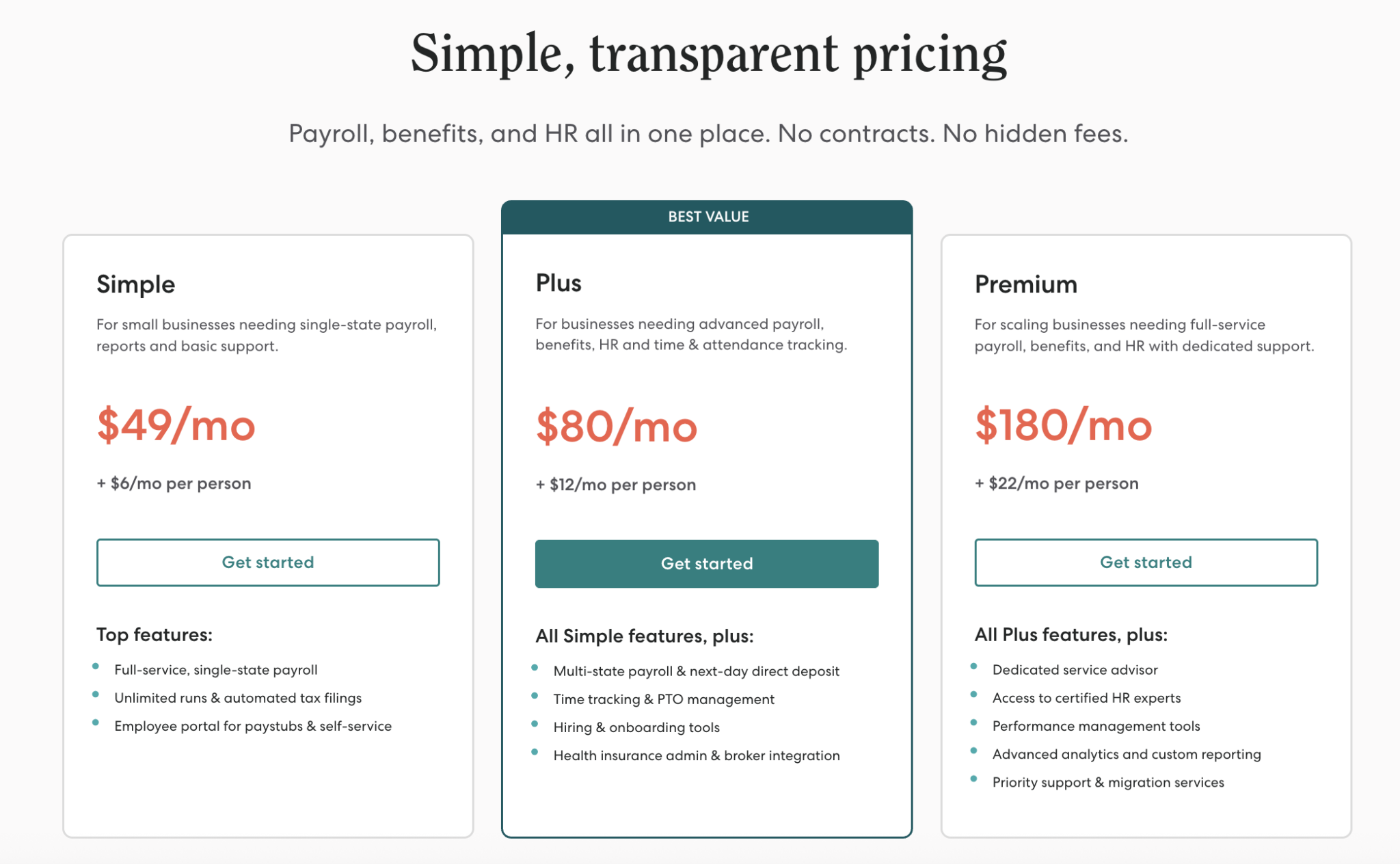
Gusto uses a straightforward pricing model based on a flat monthly rate for your chosen plan, plus a per-employee monthly fee. This structure keeps things simple—especially compared to more complicated payroll providers—and while Gusto isn’t the absolute cheapest option, it delivers excellent value for startups, small businesses, and teams that want an intuitive payroll experience.
Below is a breakdown of Gusto’s current pricing tiers (noting that Gusto occasionally offers promotional discounts):
Contractor – $0 base price + $6 per contractor per month
Simple – $49 base price + $6 per employee per month
Plus – $80 base price + $12 per employee per month
Premium – $180 base price + $22 per employee per month
Smaller teams often find the Simple plan sufficient, as it includes full-service payroll for single-state employers along with basic HR and onboarding features. As your business grows, the Plus plan becomes more useful, offering automated multi-state payroll, advanced permissions, integrated time tracking, and expanded document management—tools that make scaling much smoother.For larger organizations with more complex needs, the Premium plan delivers the most robust functionality. It includes access to certified HR experts, workforce and project tracking, advanced permission controls, and a comprehensive HR resource center.
One of Gusto’s greatest strengths is its flexibility for very small teams or businesses that rely primarily on contractors. The Contractor plan provides unlimited contractor payments, contractor self-service, and 1099 filing and distribution—all for just $6 per contractor per month with no monthly base fee. It’s an ideal option for solopreneurs or lean teams that want Gusto’s convenience without paying for full payroll features
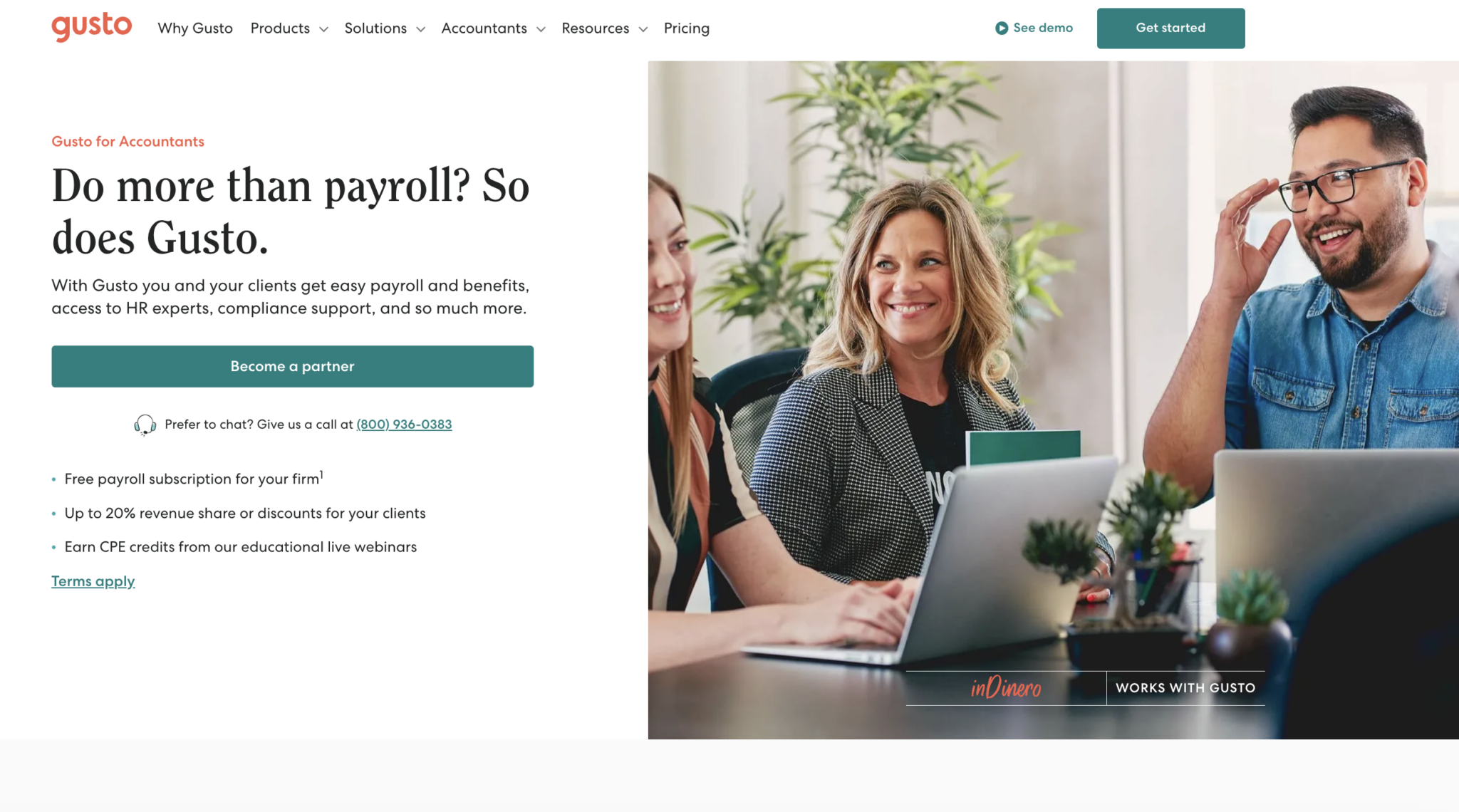
Gusto for Accountants
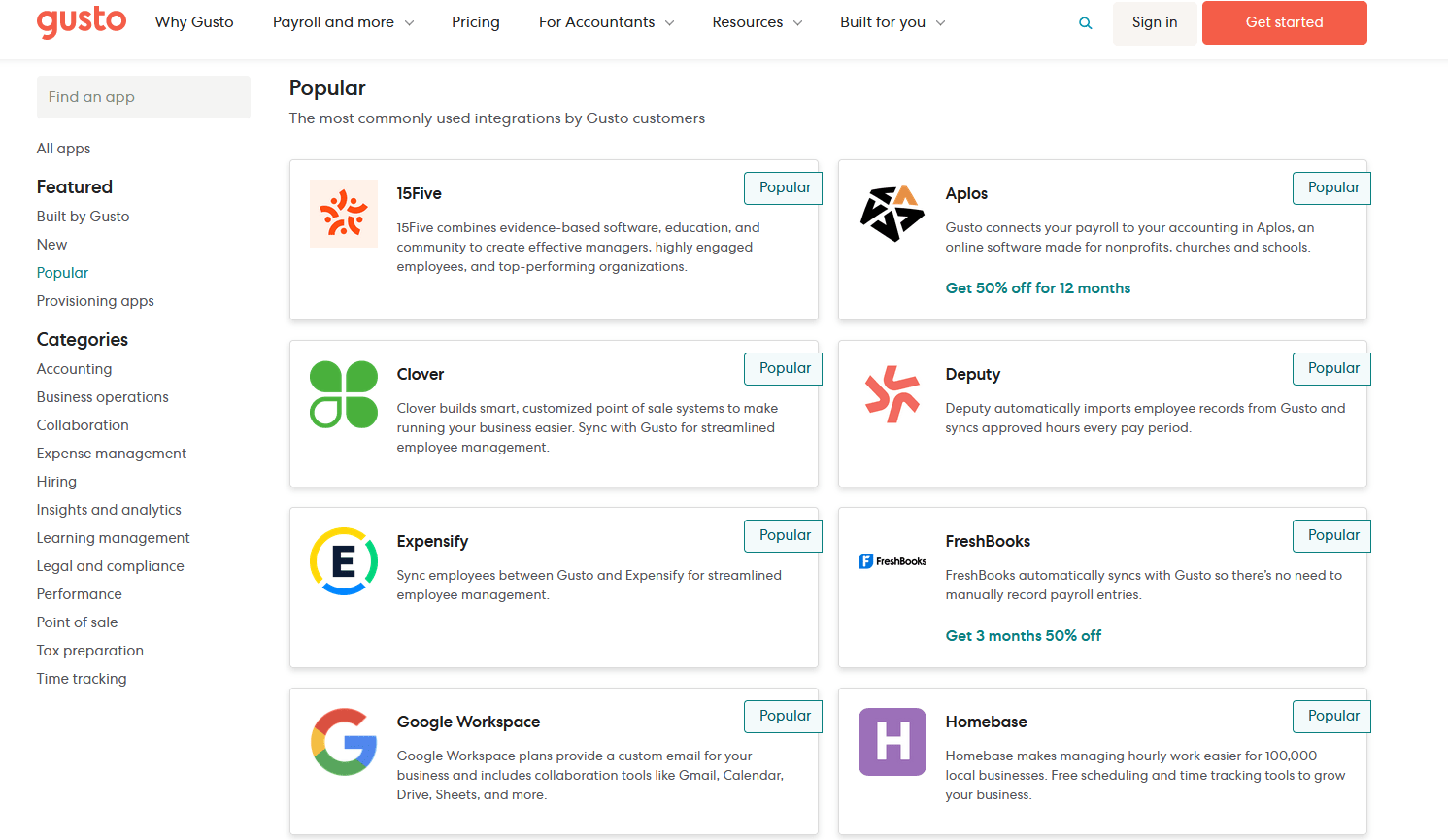
Beyond its full-service payroll platform—which includes HR tools, time tracking, benefits administration, employee self-service, and hiring features—Gusto also offers a dedicated partnership program for accountants. This program provides attractive perks such as up to 20% revenue share, client discounts, and the opportunity to earn CPE credits through Gusto’s live webinars. Designed to help accountants deliver high-quality professional services, Gusto tailors available tools to the size of your client base and offers flexible payment options, along with access to a dedicated support representative.
For firms managing more than 50 clients, the benefits grow even stronger. You’ll receive a 20% discount on all Gusto services, full access to its payroll and HR suite, and the ability to offer clients a complimentary one-month trial—making client acquisition easier. To streamline workflows, Gusto also supports native integrations with major accounting platforms such as QuickBooks, FreshBooks, Expensify, and Google Sheets, helping accountants build more efficient and scalable operations.
How Gusto Ranks
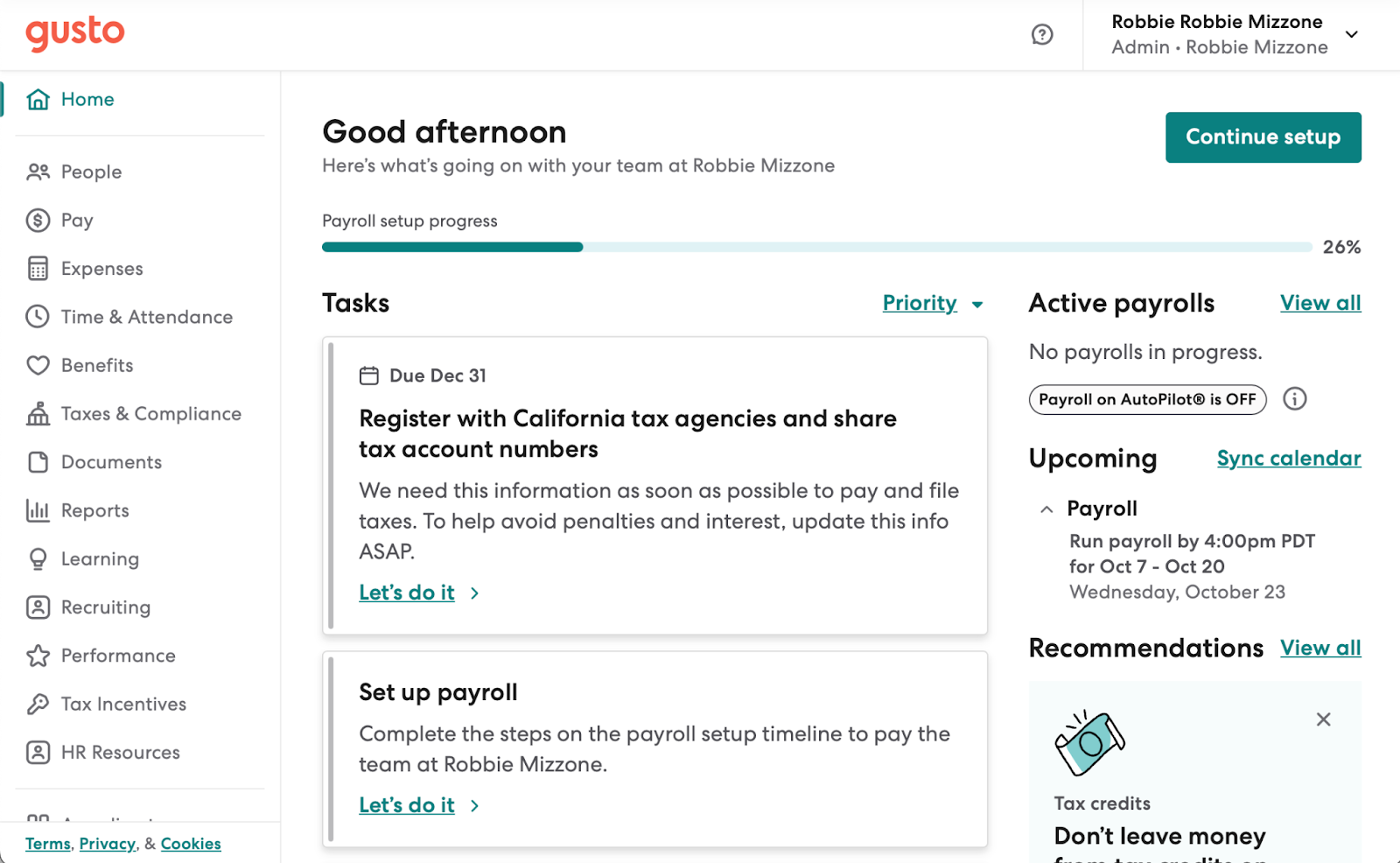
Gusto stands out as a top-tier payroll solution because it goes far beyond the basics offered by many mid-level competitors. Its platform is packed with tools tailored for small businesses, helping automate tedious tasks like filing state taxes and managing employee information. Combined with its intuitive interface and user-friendly self-service features for employees, Gusto delivers a smooth and dependable experience that addresses many common payroll challenges.
Setup is straightforward, and if issues arise, Gusto’s support team is ready to assist. However, while Gusto excels for small to midsize teams, larger organizations with more complex workforce management, human capital management, performance tracking, and advanced reporting needs may find better fits elsewhere. Ultimately, the best payroll solution depends on your company’s size and the depth of features and support you require.
Conclusion
In conclusion, Gusto Wallet provides employees with a convenient, all-in-one mobile solution for managing their payroll and finances. With easy access to pay stubs, W-2s, and detailed earnings breakdowns, it simplifies what can often be a complicated process, giving employees confidence and transparency in their compensation. Features like the paycheck splitter and time-tracking tools further streamline day-to-day payroll interactions, making it easier for employees to stay on top of their work hours and income.
Beyond payroll management, the app’s budgeting tools offer a valuable resource for employees to track spending, set limits, and gain better control over their finances. While certain features, like time tracking, may have occasional glitches, the overall functionality of Gusto Wallet supports both convenience and financial awareness. For businesses looking to empower employees with self-service tools, this app adds a practical and user-friendly layer to Gusto’s payroll ecosystem.