






Templates Library: 9.5/10
Ease of Use: 8.8/10
Value for Money: 8.6/10
Overall Rating: 9.0/10
Core Highlights
- Power‑featured infinite online whiteboard for remote and hybrid team collaboration
- Massive built‑in template library for brainstorming, mapping, meetings, workshops and agile workflows
- Real‑time multi‑user co‑editing with cursors visible for smooth teamwork
- Wide integrations: Slack, Microsoft Teams, Zoom, Jira, Google Workspace and many more
- Generous free tier available for individuals and small teams to test full‑scale functionality
- Supports mind‑maps, flowcharts, user‑story mapping, retrospectives, workshops and diagramming
Great for Remote & Hybrid Teams
Get started with Miro’s free plan to explore infinite whiteboards and ready‑to‑use templates right away
Introduction
Miro is one of the most well‑known infinite online whiteboard platforms built for visual collaboration. As distributed and hybrid‑working teams become mainstream, visual‑first tools like Miro help bring ideas together across locations and time zones.
Instead of static documents or slide decks, Miro provides an unlimited canvas space where teams can brainstorm, draw diagrams, run agile ceremonies, build mind‑maps, facilitate workshops, and organize information visually. In this honest review, we walk through its core capabilities, pricing, real‑world use‑cases, integrations and practical points to keep in mind before subscribing.
What Is Miro?
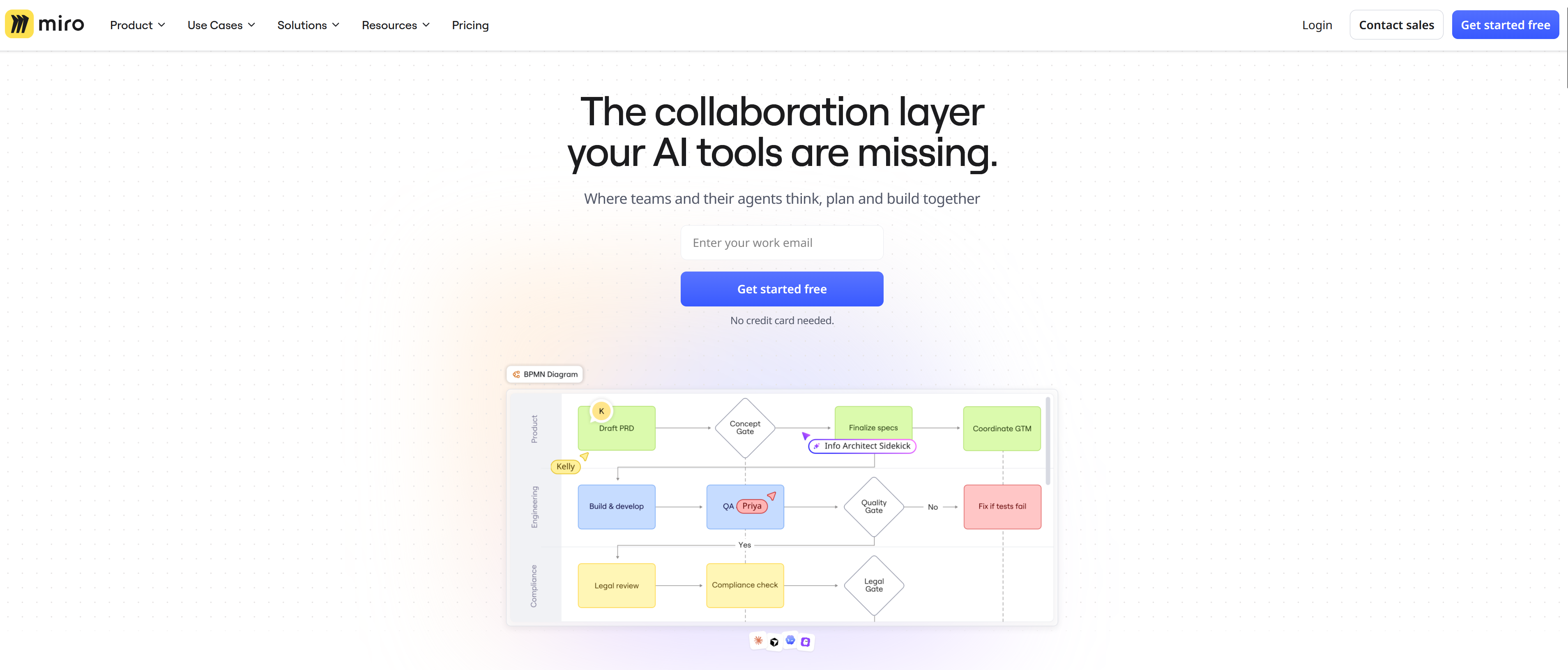
Miro is a cloud‑based collaborative visual workspace. Its core is an infinite canvas whiteboard that runs inside your browser, with desktop and mobile companion apps available. You are not limited to fixed page sizes — you can zoom in and out, expand the canvas in every direction and arrange thousands of objects on one board.
Originally popular within agile software teams for sprint retrospectives and user story mapping, it has grown into a multi‑purpose platform used by designers, product managers, marketers, educators, consultants and enterprise‑level organizations. People use Miro for meetings, brainstorming sessions, strategy workshops, UX design mapping, teaching and project planning.
Key Features Overview
Infinite Canvas & Drawing Tools
The infinite canvas is Miro’s foundation. You get pens, sticky notes, shapes, connectors, text boxes, frames and free‑hand drawing. Frames let you group content and export or present selected sections of your huge board as slides, which is extremely useful for workshop facilitation.
Rich Template Gallery
Miro includes hundreds of ready‑made templates for nearly every common collaborative activity: sprint retrospective, user story map, SWOT analysis, mind‑map, impact‑effort matrix, customer journey map, lean canvas, brainstorming boards, workshop agendas and education‑focused templates. Templates save massive setup time, and users can duplicate and customize them freely.
Real‑Time Team Collaboration
Multiple participants can join one board simultaneously. You can see live cursors of every collaborator, add comments, assign sticky‑note tasks, use voting features, run timer sessions, and conduct presentations right inside Miro. This makes remote workshops and online meetings feel much more interactive than static documents.
Integrations & File Support
Miro connects with major workplace ecosystems: Zoom, Microsoft Teams, Slack, Jira, Confluence, Google Drive, Google Workspace, Notion, Asana and more. You can embed images, PDFs, screenshots, video embeds and documents onto boards, and export your finished work as PNG, PDF, CSV or image files for sharing outside the platform.
Access & Permission Controls
Boards can be set to private, team‑only, or public view‑access. You assign roles: owner, editor, comment‑only or viewer. Enterprise‑grade plans bring advanced admin controls, SSO single sign‑on and security settings for large organizations.
Practical Tip
Start from a template instead of blank canvas. It drastically cuts preparation time for workshops, retrospectives and planning activities.
Miro Pricing & Plans
Miro offers a free tier plus four paid plan levels: Free, Starter, Business and Enterprise. Pricing is per‑user per‑month, billed annually or monthly.
| Plan | Target User | Highlights |
|---|---|---|
| Free | Individuals, small teams evaluating | Limited editable boards, core tools, basic templates |
| Starter | Small working teams | Unlimited boards, full template library, team collaboration |
| Business | Mid‑size teams & departments | Advanced permissions, guest access, priority integrations |
| Enterprise | Large organisations | SSO, admin dashboard, enterprise‑security, dedicated support |
The free tier is perfect for testing the platform before you commit to paid subscriptions. Most small collaborative teams find the Starter plan sufficient for day‑to‑day visual‑workspace needs.
Key Benefits & Things to Consider
Key Benefits
- Powerful infinite‑canvas for visual thinking and collaboration
- Huge ready‑to‑use template library saves hours of setup
- Smooth real‑time multi‑user co‑editing experience
- Works great for remote meetings, workshops and agile ceremonies
- Broad integration ecosystem with popular workplace apps
- Generous free tier to try core functionality risk‑free
- Multiple export formats for sharing work outside Miro
Things to Consider
- Large complex boards may affect browser performance on low‑end devices
- Full feature access requires moving to paid subscription tiers
- Best suited for visual‑style work; not replacement for text‑heavy documents
- Enterprise‑level features are only available in top‑tier pricing
Common Real‑World Use‑Cases
Miro serves a wide variety of teams and roles:
- Agile & Software Teams: Sprint retrospectives, user‑story mapping, PI planning, backlog visualisation
- Product & UX: Customer journey maps, affinity diagrams, brainstorming, feature‑workshop sessions
- Marketing & Strategy: SWOT, competitive analysis, campaign planning, mind‑mapping
- Workshop Facilitators & Consultants: Running collaborative online workshops with distributed participants
- Education & Training: Virtual classroom activities, group exercises and visual teaching materials
- General Remote Meetings: Adding interactive whiteboard activities to regular team meetings
Comparable Alternatives
If you are evaluating visual collaboration tools, these are popular comparable options:
- MURAL: Similar infinite‑canvas collaboration‑workspace, strong for workshops and design‑thinking
- FigJam: Built inside Figma ecosystem, great if your team already uses Figma for design work
- Microsoft Whiteboard: Simple free whiteboard, integrates with Microsoft 365 / Teams ecosystem
Final Verdict
Miro stands as one of the leading visual collaboration workspaces available for remote‑hybrid teams.
Its infinite canvas, huge template library and smooth real‑time co‑editing make online brainstorming, workshops and agile ceremonies feel alive and interactive. The generous free tier lets individuals and small groups test hands‑on experience before buying a paid plan.
It is not a replacement for word‑processor‑style documents, but if your work involves visual thinking, group brainstorming, mapping or facilitating remote collaborative sessions, Miro delivers a great deal of practical value. Many teams see immediate improvements in engagement and clarity once they adopt visual‑first collaboration workflows.
Frequently Asked Questions
Can I use Miro completely for free?
Yes. Miro provides a functional free plan with limited editable boards, so individuals and small teams can explore its core whiteboard functionality without paying.
Does Miro work inside Zoom or Microsoft Teams meetings?
Yes. Miro supports integrations for Zoom and Microsoft Teams, letting you embed and collaborate on boards directly during your online meetings.
What export options does Miro offer?
You can export boards or selected frames as PNG image, PDF, CSV and other formats for sharing your work outside of Miro platform.
Is Miro suitable for education and teaching?
Absolutely. Many educators use Miro for virtual classroom activities, group‑collaboration exercises and visual teaching materials. There are many education‑focused templates available.