






What Is Prezi?
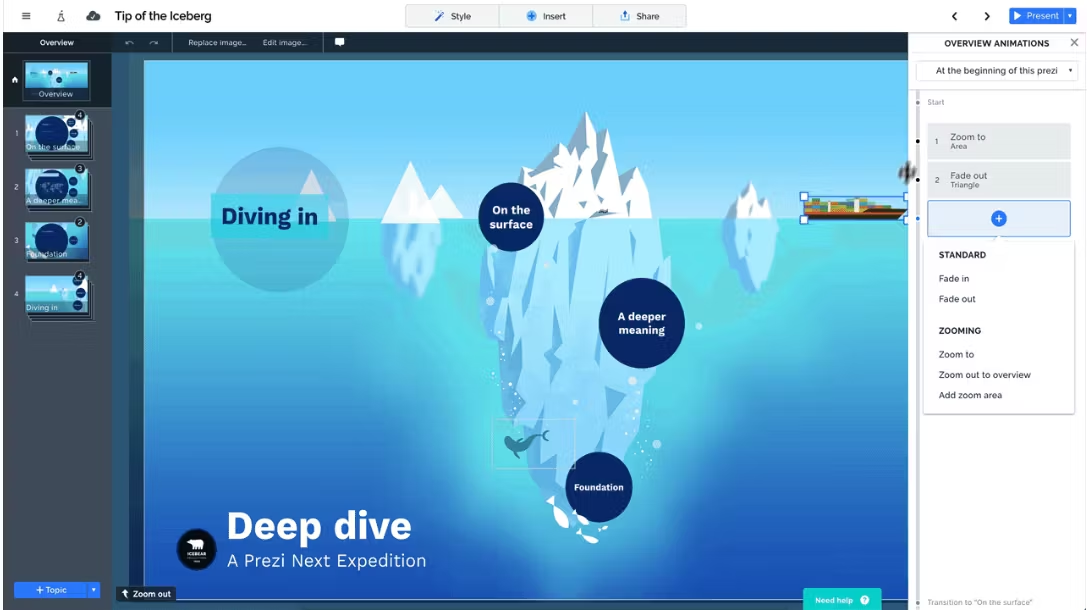
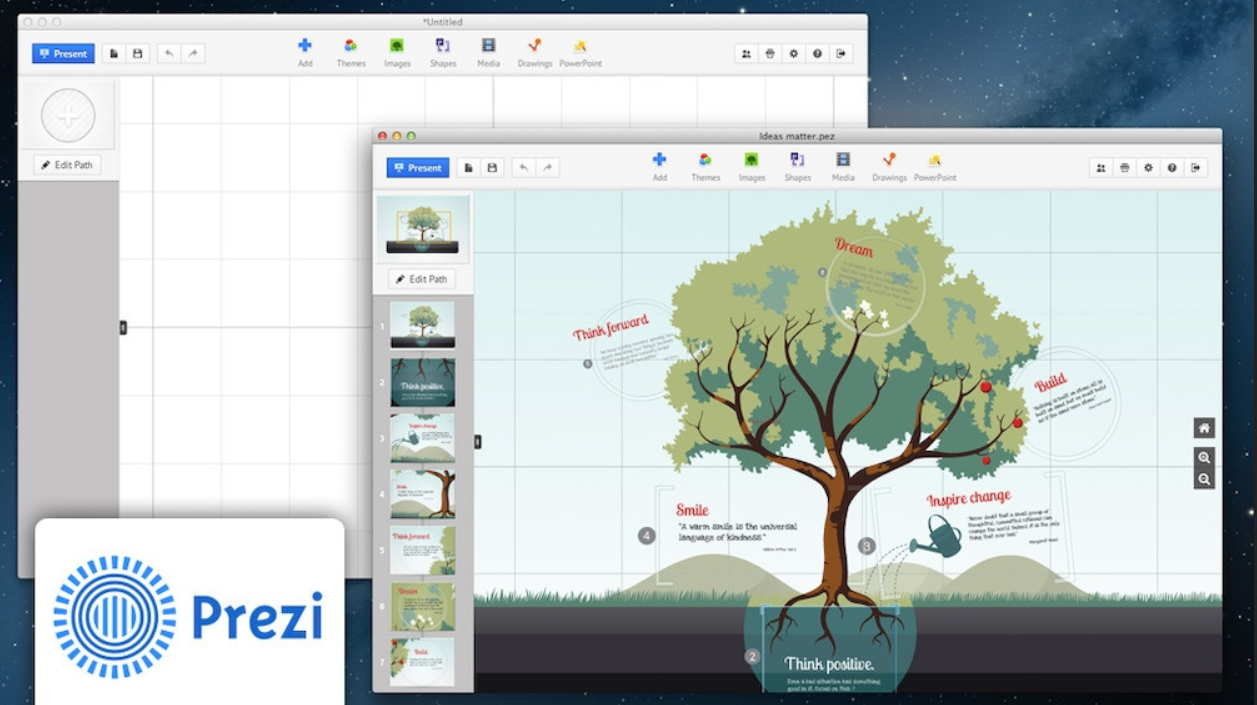
Prezi is a cloud‑based presentation platform that reimagines how ideas are shared by replacing rigid, linear slide decks with an infinite, interactive visual canvas. Founded in 2009 in Budapest, Hungary, it uses a zooming user interface (ZUI) that lets presenters pan across topics, zoom into details, and pull back to show the big picture, creating a cinematic, non‑linear storytelling flow instead of a fixed sequence. Unlike PowerPoint or Google Slides, it organizes content spatially, making connections between ideas clearer and more engaging for audiences.
Beyond its core visual design, Prezi supports real‑time collaboration, media embedding (images, videos, PDFs), and cross‑device access via web, desktop, and mobile apps. It also offers AI‑powered tools to auto‑generate structured presentations from prompts or uploaded files, plus team features like analytics and shared workspaces. Used by over 160 million people worldwide, it’s widely adopted in education, business, and creative fields for dynamic, memorable presentations that adapt to conversational flow rather than forcing a rigid order.
Who Is Prezi Best For?
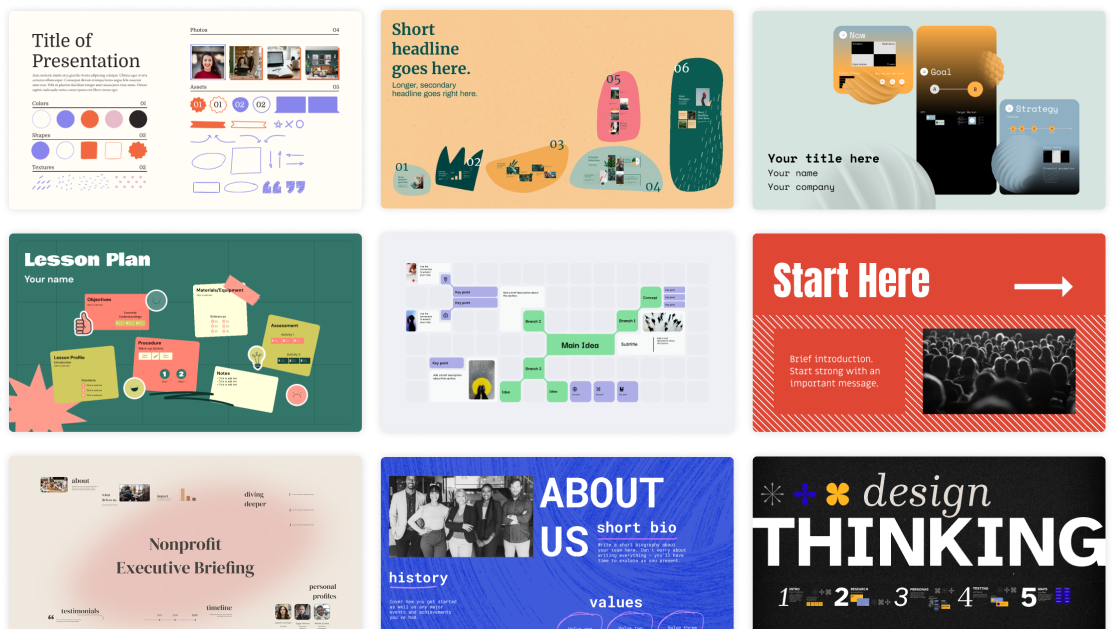
Prezi is particularly well-suited for presenters who prioritize dynamic visuals, fluid movement, and narrative storytelling over traditional linear slides. Its unique zoom-driven canvas and flexible layout make it a strong choice for anyone looking to deliver engaging, visually focused content rather than following a rigid slide-by-slide structure.
Prezi is highly recommended for teachers and educators aiming to maintain student attention through interactive visuals, public speakers who craft non-linear narratives or thematic story arcs, and content marketers seeking to make a memorable impression at conferences, trade shows, or webinars. These roles benefit greatly from Prezi’s spatial design and zooming interface. However, its steeper learning curve and comparatively slower workflow may make it less practical for fast-paced, time-sensitive settings.
What Prezi Does Best
Prezi’s greatest strength lies in its ability to support non-linear, visual storytelling in a way traditional slide-based tools simply cannot match. Instead of confining ideas to a fixed sequence of slides, it uses an open, zoomable canvas that lets presenters arrange concepts spatially. This structure makes it easy to show relationships between topics, zoom into fine details, and pull back to highlight the big picture—creating a natural, flowing narrative that feels more like a conversation than a formal presentation.
Another area where Prezi truly stands out is audience engagement through dynamic movement. Its signature zooming and panning effects turn static content into a visually immersive experience, helping to hold attention far more effectively than static slides. This makes it especially powerful for educators, speakers, and marketers who want to make complex ideas clearer and more memorable. The visual flow also helps viewers follow logical connections between ideas, rather than just moving from one isolated slide to the next.
Finally, Prezi excels at helping users build distinctive, professional-looking presentations that stand out from generic slide decks. Even with its somewhat dated template library, the flexible canvas encourages creative layouts and unique visual structures. It allows presenters to design around their message, not around slide boundaries, supporting creative freedom and impactful delivery. While it lacks advanced AI and modern collaboration tools, its core ability to turn presentations into compelling visual journeys remains its most valuable and unique advantage.
Prezi Features
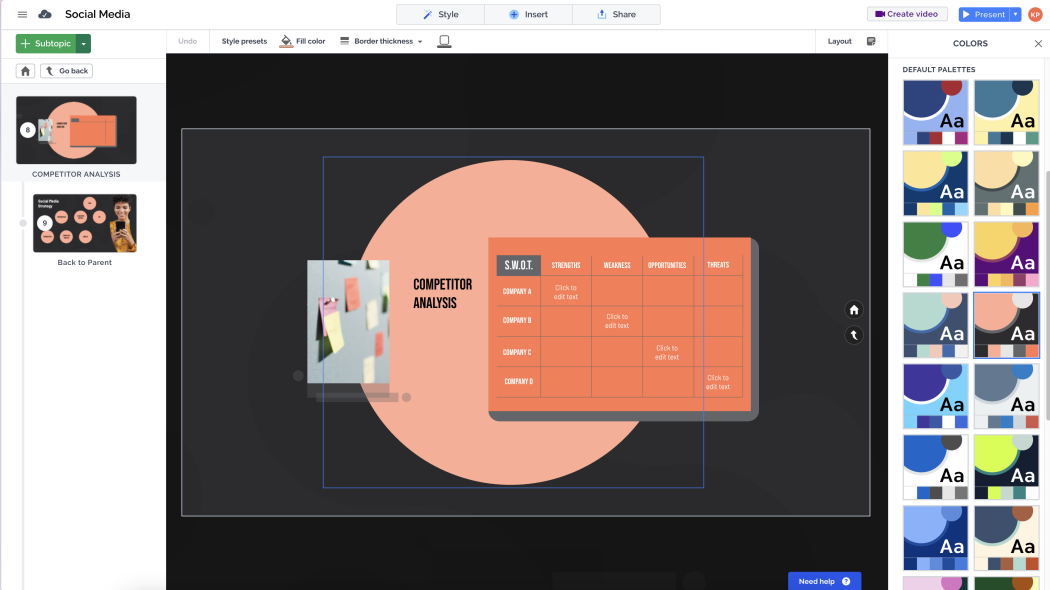
Upon launching Prezi’s web-based or desktop application, you will be greeted by an intuitive, user-friendly interface. This interface grants access to key features—including Prezi AI—and a suite of manual content creation tools.
Prezi AI
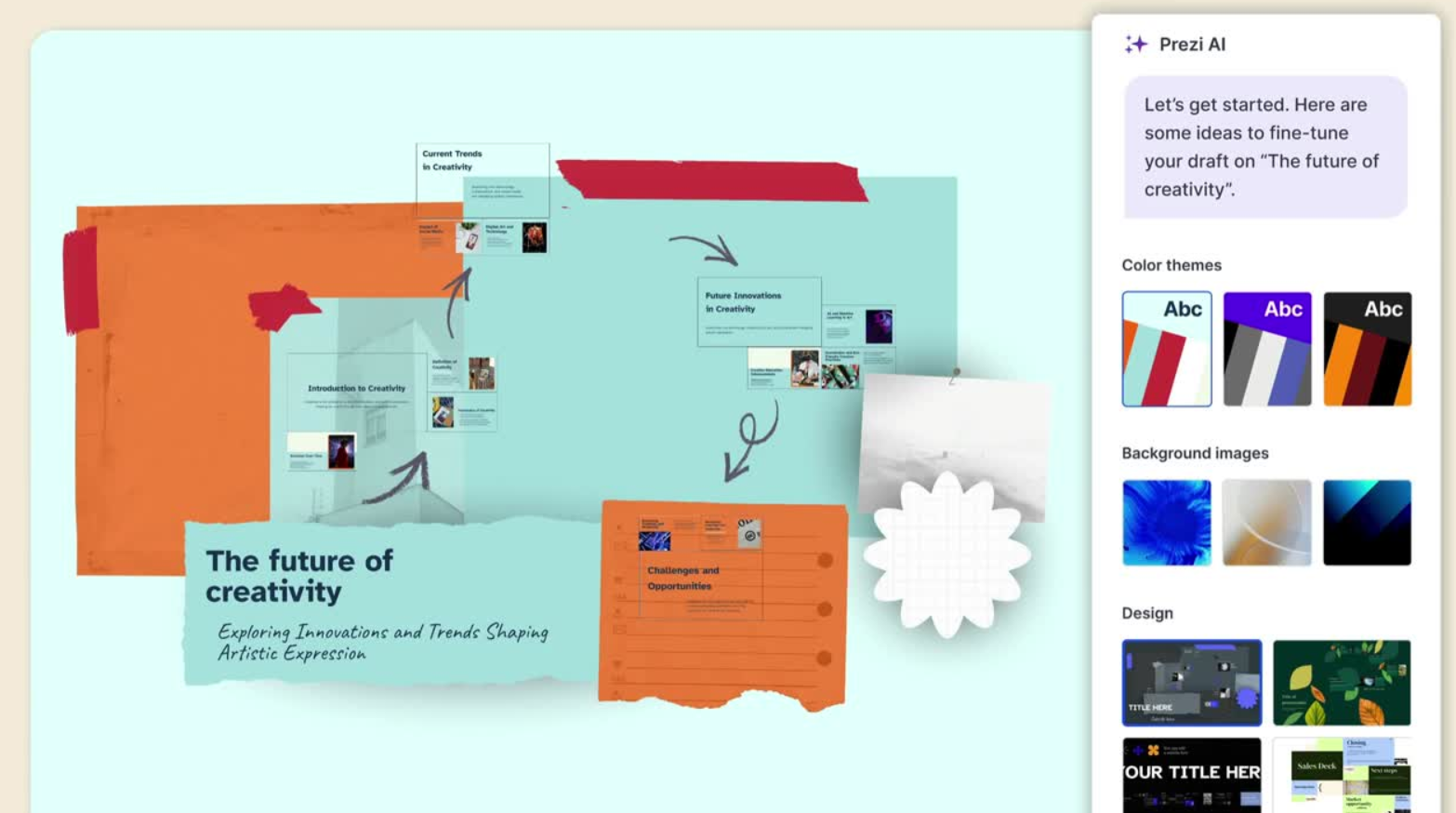
If you are considering Prezi as your presentation maker, its most standout feature is undoubtedly Prezi AI. With this tool, you can simply describe your presentation topic and supplement the description by uploading a file containing additional source materials.To test Prezi AI, we tasked it with creating a presentation themed “fostering creativity in a digital world.” We input the presentation title along with a brief prompt that captured the core essence of the slide deck.Prezi AI began generating content immediately, without offering options to review an outline, select a color theme or template, or specify the number of slides. However, the auto-generated deck was accompanied by a sidebar, which provided various color options for the background and typeface, as well as several theme variations.In the “Editor” menu, we could view the entire deck at a glance, with slide thumbnails displayed in the left sidebar—a layout familiar to most users of PowerPoint and Google Slides. The slide content was well-written and logically structured, while the theme and graphics effectively reflected the artistic nature of the presentation topic.
What stood out most was Prezi’s divider slides: they not only split the deck into distinct sections but also displayed all the slides included within each section.Users familiar with Prezi’s signature presentation style—where you can zoom in and out to view different parts of the presentation—will appreciate how these elements are organized. Essentially, all “slides” exist on a single large canvas, and each “slide” represents a specific view of this overall presentation canvas.Overall, the content quality of Prezi AI-generated slides is on par with tools like Canva: the designs are visually appealing at a glance, but the specific text content may be lacking in depth. While Prezi slides include nice graphics and stock photos, they all follow the same “text + image” format, resulting in limited diversity in slide types.
Collaboration
Last but not least, once you have created a Prezi slide deck, you can invite teammates to collaborate—provided they also have Prezi accounts. While you can export the deck as a PDF, there is no quick or straightforward way to open it in PowerPoint or Google Slides.
Manual Tools
In addition to the AI slide maker, Prezi offers several manual presentation tools. These enable you to create slide decks from scratch, using a template, or by opening a .PPT file in Prezi.Furthermore, Prezi allows you to manually create videos and infographics. These features are accessible from the dashboard of the web-based app (if using Chrome) or directly from the Prezi desktop app.
Best Alternatives to Prezi
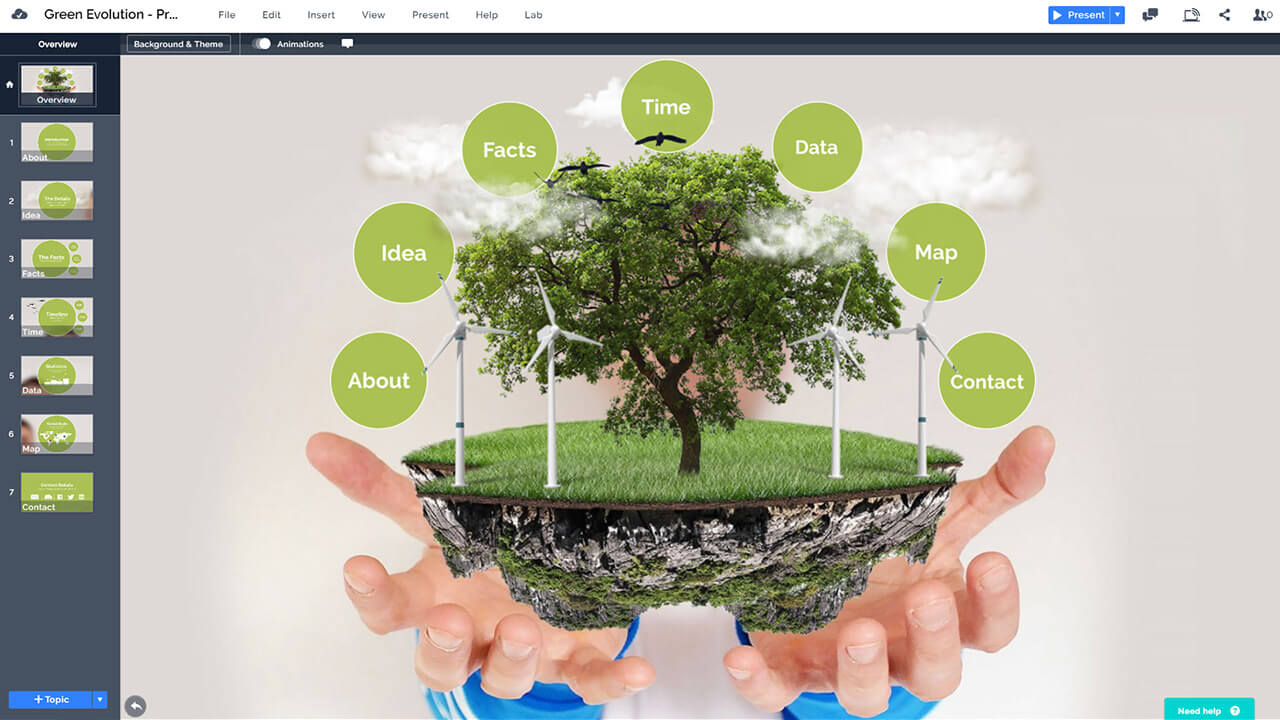
Not sure if Prezi is the right AI presentation builder for you? Check out these 4 top alternatives below.
Plus AI – Best Prezi Alternative for PowerPoint and Google Slides Users
Gamma – A Next-Generation Prezi Alternative for Sleek-Looking Slides
Simplified AI – A Suitable Prezi Alternative for More Features
Canva Magic Design – A Worthy Prezi Alternative for Extensive Graphic Assets
Plus AI — Best Alternative for PowerPoint and Google Slides Users
Do you use PowerPoint or Google Slides for creating presentations and collaborating? If so, Prezi may not be your best choice, as its files are difficult to convert to either PPT or Slides format.Instead, consider Plus AI — a powerful AI-driven slide maker that works as an extension for both Google Slides and PowerPoint. With Plus AI, you can generate polished, presentation-ready slide decks using three distinct methods:Like Prezi, Plus AI lets you create presentations from a brief topic description. Additionally, you can prompt it by uploading source materials in a wide range of file formats, or even prompt each slide individually for more control.While Prezi’s slide designs boast a unique artistic style, Plus AI offers an extensive library of creative, elegant templates. Each template comes pre-equipped with fonts, colors, and layouts that complement any type of slide content seamlessly.
Here are some other useful features of Plus AI:
– AI Editing: Whether you’ve just auto-generated a deck with Plus AI or want to enhance an existing presentation, its suite of editing tools lets you remix slides, rewrite content, and generate new AI images.
– Live Snapshots: For data-driven presentations, the Live Snapshots feature ensures your data stays up-to-date. You can take a screenshot and add it to a slide; every time you refresh, the screenshot updates automatically from the original source.
– Custom Instructions: If you have specific requirements for your presentations, you can add custom instructions, and Plus AI will adhere to them consistently when generating decks. For example, you can instruct it to incorporate your brand identity and tone into every presentation.
Plus AI’s pricing ranges from $10 to $20 per month. All plans include a 7-day free trial, so you can test them out before committing to a subscription.
Gamma — A Smoother Prezi Alternative for Sleek-Looking Slides
If you’re seeking sleek, visually appealing slides with a smoother experience than Prezi, Gamma is a excellent alternative. Gamma’s presentations feature a distinct visual style, and the slide-making process is natural and intuitive.You can auto-generate presentations with Gamma using a prompt, or by providing a PDF file, URL link, or copied text. If you use Google Workspace, you can even upload files directly from Google Drive, which Gamma will use as the basis for your slide deck. Note, however, that Gamma does not work as an extension for Google Slides or PowerPoint.Gamma’s subscription plans cost either $10 or $20 per month. If you don’t plan to use the app frequently, its free plan may suffice — it includes 400 AI credits, which is roughly enough for 10 presentations.
Simplified AI — A Suitable Prezi Alternative for More Features
Simplified AI is a better fit than Prezi if you need an app that can create a wider variety of visual content. Beyond presentations and infographics, Simplified lets you quickly generate social media posts, ads, videos, and memes — all powered by AI.Its slide creation tools include prompt-to-presentation and URL-to-presentation. With prompt-to-presentation, you can either briefly describe the topic in a few words or copy-paste longer text passages to kickstart the AI. While the slides have a basic design and the content can be dense (which affects readability), this app is useful if your presentations are not for a professional audience and you value Simplified’s other graphic design tools.Simplified’s pricing plans range from $0 to $119 per month.
Canva Magic Design — A Worthy Prezi Alternative for Extensive Graphic Assets
While Canva Magic Design does not have an AI slide-making tool, it still earns a spot on our list of Prezi alternatives due to its massive collection of presentation templates and other graphic assets. Not only are the templates abundant, but they are also highly creative and artistic. So, if you’re comfortable creating slides manually and want them to look even more artistic than Prezi allows, Canva Magic Design is worth considering.Although it won’t auto-generate slides for you, Canva’s AI assistant can help with brainstorming slide content whenever you need it.Canva’s plans range from $0 to $30 per month, and all paid packages come with a 30-day money-back guarantee.
How to Choose the Best AI Presentation Tool
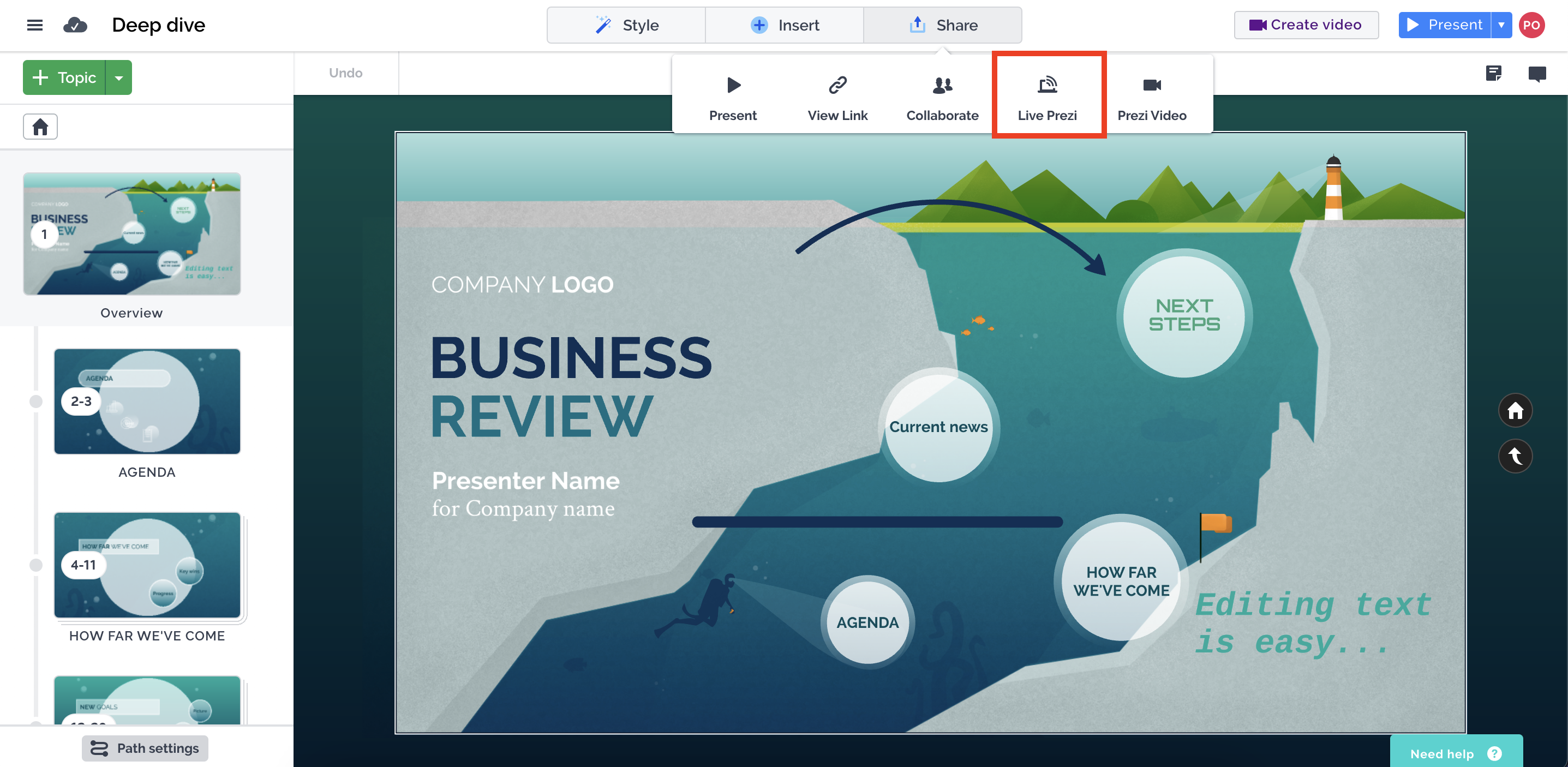
To find an AI presentation tool that seamlessly fits into your workflow, consider the following factors:
The Types of Presentations You Create
Some AI presentation tools are tailored to specific presentation types, such as pitch decks or lectures. Others—like Plus AI—are more versatile, performing equally well in boardrooms and classrooms alike. In contrast, Prezi’s slideshows have an edgy, artistic aesthetic that is best suited for creative settings.
Whether You Use PowerPoint or Google Slides
If you typically create slide decks using these popular programs, look for an app that can integrate with them. For instance, Plus AI works with both PowerPoint and Google Slides, allowing you to leverage AI power to create presentations and collaborate within the Microsoft 365 and Google Workspace ecosystems.
How Often You’ll Use the App
If you only need occasional AI assistance with slide decks, opt for an app with a free plan that provides enough credits for your needs. Keep in mind, however, that free subscriptions often restrict access to graphic assets and more advanced tools—such as file uploads or AI editing. If you want to use a premium service to create a presentation without committing to a long-term subscription, try Plus AI’s Pro plan with its 7-day free trial.
Prezi Pricing Plans: Is It Worth the Cost?
Prezi’s pricing structure is fairly straightforward, but the key question remains: are you getting sufficient value for your money?Below is a complete breakdown of Prezi’s available pricing plans: Basic (Free) – Access to Prezi Present with limited features and storage, best for students or casual users; Plus ($15/month) – Full access to Prezi Present and Prezi Video, plus offline access and premium support, ideal for educators, freelancers, and light business use; Premium ($25/month) – All features, including analytics, training, and priority support, suited for business professionals and sales teams; Teams ($39/month) – Admin controls, collaboration features, and centralized billing, designed for companies and organisations.
What You Actually Get
Let’s break down the true value of each plan to help you decide if it’s worth the cost:
The Good
– The Basic plan lets you get started at no cost if you only need to create simple presentations.
– The Plus plan offers greater flexibility, including offline editing, improved templates, and video recording capabilities.
– The Premium plan adds analytics—a useful feature if you want to track how audiences engage with your presentations.
– The Teams plan is scalable, with admin tools designed to manage large teams or enterprise-level setups.
The Not-So-Great
– The free Basic plan is nearly useless: you can view presentations but cannot edit or create new ones.
– AI features do not improve with higher pricing—even the Premium tier offers only minimal AI support, despite Prezi’s recent recognition as a top AI presentation tool.
– Prezi Video is included in paid plans but lacks robust editing tools, making it feel more like a gimmick than a practical feature.
– High-quality templates are locked behind higher tiers, and even then, they feel outdated compared to modern AI presentation tools.
– Real-time collaboration is not available—even in the Premium plan—an oversight that feels significant in 2025, especially as competitors like Gamma prioritize collaborative features.
Value for Money — My Take
On paper, Prezi’s pricing seems affordable. However, once you start using the platform, you’ll realize it can’t compete with modern AI presentation tools in terms of value for money. Consider this comparison:
– $15/month (Prezi Plus): Manual slide creation, no AI auto-generation, basic templates.
– $10–$20/month (AI tools like Tome, Gamma, Beautiful.ai): Full deck generation from simple prompts, smart layout suggestions, team collaboration, and real-time updates—features that have helped Gamma surpass Prezi in popularity.
Even though Prezi is relatively low-cost, you’ll end up spending more time creating less intelligent presentations—and time is money.
If you’re an educator or student who appreciates Prezi’s unique zoom-based flow and visual style, the price may feel reasonable.
But for business teams, marketers, or content creators who prioritize speed, automation, and results, Prezi quickly becomes outdated. This is especially true when your competitors are building presentations 10 times faster using AI tools at the same price point.
Conclusion
In summary, Prezi’s pricing plans offer a range of options that cater to different user needs, but they fall short when compared to modern AI presentation tools. While the platform has its strengths—such as a unique visual flow, scalable team features, and affordable entry points for students and educators—it lacks critical functionalities that define today’s top presentation tools, including robust AI support, real-time collaboration, and up-to-date templates. The free Basic plan is largely impractical for creation, and even paid tiers fail to deliver the automation and efficiency that professionals need to save time and produce high-quality decks.
Ultimately, whether Prezi is worth the cost depends on your specific use case. For students, educators, or casual users who value Prezi’s distinctive style over speed and automation, the pricing may be justifiable. However, for business professionals, marketers, or anyone seeking to leverage AI to streamline their presentation workflow, Prezi is likely not the best investment. Modern alternatives in the same price range offer far more value, with AI-driven auto-generation, collaborative features, and better design tools that make creating polished presentations faster and more efficient.