







What is Xero
Xero is a cloud-based accounting software platform primarily built for small and medium-sized businesses, freelancers, and their financial advisors such as accountants and bookkeepers. Founded in 2006 in Wellington, New Zealand, it has grown into a major global player in online financial management, serving millions of users across more than 180 countries. As a publicly listed company, it operates regional offices around the world with the goal of helping small businesses operate more efficiently.
The platform provides a full range of core accounting tools accessible online and through mobile applications. Its key features include automatic bank transaction reconciliation, customisable invoicing with online payment options, expense and bill management, real-time financial reporting, multi-currency support, and basic payroll and project-tracking functions. These tools allow businesses to manage their finances digitally without relying on traditional desktop accounting software.What makes Xero stand out is its cloud-based, collaborative design, which lets business owners and accountants access and work on the same financial data at the same time. It also integrates with thousands of third-party apps, including payment services, CRM systems, and inventory tools, creating a flexible financial ecosystem. With a simple interface and scalable pricing plans, it has become a popular alternative to conventional accounting software for modern small businesses.
Pros & Cons
Pros
Extremely user-friendly interface
90% discount for new users in the first three months
Unlimited users included in all plans
Unlimited invoicing and billing on mid-tier plans and above
Mostly positive user reviews
Cons
Only one organization can be managed per account
Limited customization options for reports, invoices, and workflows
No dedicated customer support phone line in Canada
A relatively small number of certified Xero experts available in the industry
Xero has also earned notable recognition across multiple categories:
Best Bookkeeping Software for Small Businesses: Top pick for reporting
Best Bookkeeping Software for Self-Employed Individuals: Honorable mention
Best Bookkeeping Software for New Ecommerce Businesses: Most flexible solution for teams
Best Bookkeeping Software for Restaurants: Ideal for real-time insights and multi-location tracking
Best Bookkeeping Software for Construction Companies: Best choice for beginner-friendly construction tools
Xero Interface Overview
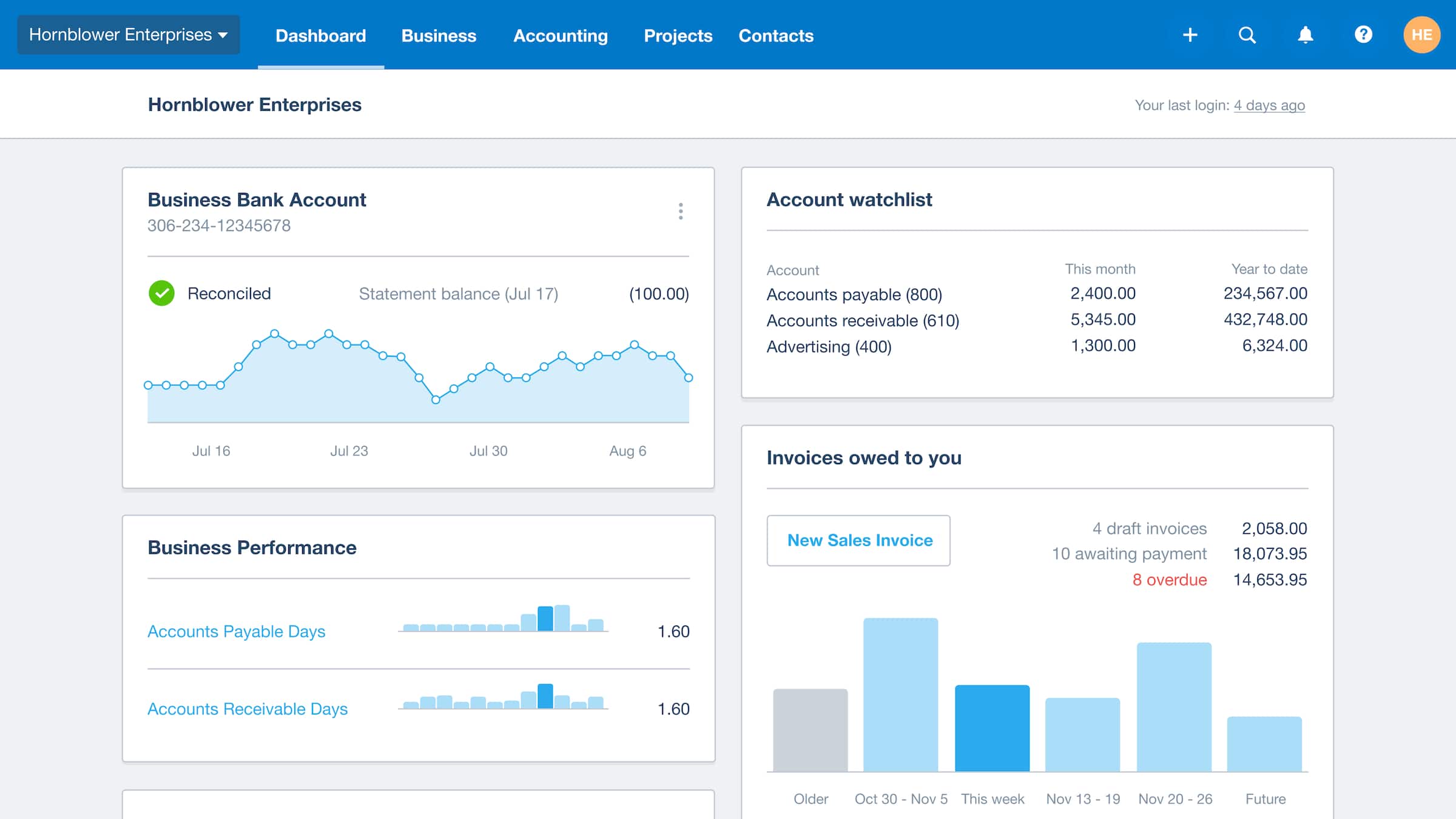
One of Xero’s key strengths is its user-friendliness. Its customizable, easy-to-navigate interface has nine distinct tabs, each for a specific bookkeeping area.
Home: Xero’s main dashboard, with widgets showing key metrics (bank balances, outstanding invoices, bills, cash flow). You can customize the layout by showing/hiding or rearranging widgets.
Sales: Overview of income activities, with dedicated pages for invoices, payments, quotes, products/services, and customers.
Purchases: Overview of spending, with pages for bills, purchase orders, checks, and suppliers. A dedicated expenses page is available with the Xero Expenses add-on.
Reporting: Access to core financial statements (P&L, balance sheet, cash flow) and customizable reports. Mark favorites for quick access.
Payroll: Employee directory with key details (tax status, bank accounts, wages) and tools to configure pay templates (salary, overtime, allowances).
Accounting: Core banking/accounting tools (reconciliation, connected accounts, transaction rules) and access to charts of accounts, fixed assets, and compliance tools.
Contacts: Manage business contacts, organize into groups, view transaction history, save key details, and link to related invoices/bills.
Additional shortcuts on the right menu bar:
– Create New: Dropdown to create invoices, bills, contacts, and more; send/receive/transfer money.
– Search: Look up contacts, transactions, reports, and other items.
– Help: Pop-up with support articles for platform guidance.
– Notifications: Pop-up for financial activity and Xero updates.
– Apps: Access third-party integrations (payroll, CRM, inventory).
– Profile: Manage personal profile and platform settings.
Xero’s organized interface makes finding tools easy. Built-in search and menus streamline access, and in-app guidance helps learn new features.
Key Features
Xero provides a full suite of bookkeeping tools that cover every core bookkeeping need, ranging from invoicing operations to financial reporting.
Multi-User Support
Unlimited additional user access is one of Xero’s most standout advantages. It allows multiple people to log into the system and collaborate on bookkeeping tasks, while also letting you assign task-specific permissions—such as invoicing, bill management, and bank account access—to control who can view or handle your financial data.
Xero offers five distinct user roles: subscribers, advisors, standard users, invoice-only users, and read-only users, each with different feature access rights. Subscribers and advisors hold full permissions, including adding or removing users, viewing bank accounts, reconciling bank transactions, creating and sending invoices, entering bills and expenses, accessing full reports, using advisor-exclusive tools, managing payroll, editing organizational settings, handling banks and contacts, and submitting timesheets. Standard users can perform most of these actions if granted permission, but cannot use advisor tools or edit organizational settings. Invoice-only users are limited solely to creating and sending invoices, with no access to other financial functions. Read-only users can only view bank accounts and full reports, with no ability to make edits or process transactions.This feature is highly valuable as it lets you add accountants, bookkeepers, employees, and other stakeholders to your accounting system at no extra cost. It helps distribute financial management tasks across your team, speeding up workflows and boosting financial transparency.
Invoices and Quotes
The Invoices and Quotes tool enables users to create, send, and manage professional invoices and quotes. Quotes can be converted directly into invoices, which can be sent to clients for online payments via platforms like Stripe and PayPal, though online processing fees may apply.Xero includes several basic invoice templates, making it simple to create and customize invoices. You can also set up automatic invoice reminders to notify clients of payment deadlines and ensure timely payments.
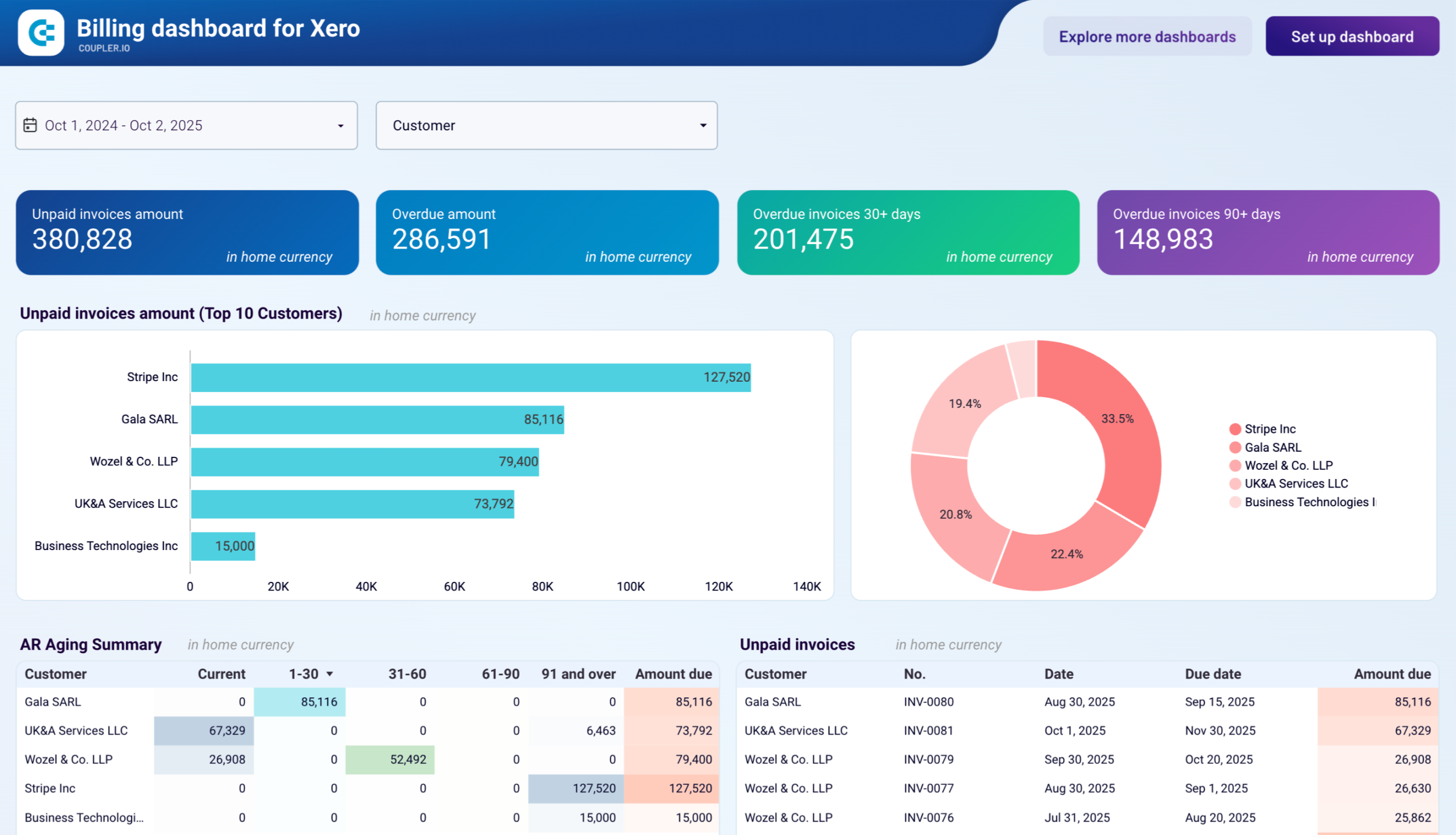
On the homepage, dedicated widgets can be created to give a quick overview of invoicing activity, including at-a-glance snapshots of all outstanding invoices owed to your business and summaries of recent invoice payments (with details like payer names, dates, and amounts). The dedicated invoices page under the sales tab organizes all invoices and their details in a structured list, with filtering options by progress status—such as drafted, awaiting approval, awaiting payment, paid, and recurring.Overall, the invoicing and purchasing functionality is robust. While the selection of templates is relatively limited, it still provides enough options to meet basic invoicing requirements.
Bills and Purchases Management
Xero’s bills and purchasing management features are highly powerful, making it easy to stay on top of accounts payable. You can enter, track, and manage bills and supplier purchases to better control cash flow, set up recurring bills, and pay vendors in batches.Both the homepage and the dedicated bills and purchases pages simplify bill tracking. A homepage widget can display snapshots of all upcoming and overdue bills, keeping you fully aware of pending payments.
The bills page features a clear, organized list of all bills, showing vendor names, statuses, reference numbers, issue dates, due dates, amounts paid, and amounts due. You can quickly search for bills, filter by status, document type, or other categories, or narrow results to specific time periods. The dedicated purchase orders page uses the same layout, features, and filtering tools for consistent usability.
Bank Reconciliation
The bank reconciliation feature connects to live bank feeds and imports transactions automatically. You can then match these transactions to invoices, bills, or manual journal entries to complete reconciliation, ensuring your financial records are accurate and up to date and avoiding costly errors later on.A key benefit of Xero is its real-time bank feed updates, eliminating delays and the need for manual data entry. It also analyzes your past reconciliation history to generate smart matching suggestions, automatically linking imported bank transactions to existing invoices, bills, or journal entries. This cuts down on manual work and accelerates the reconciliation process.
However, the feature has limitations: bank feeds occasionally disconnect and require reconnection, which can slow down bookkeeping, and some complex transactions cannot be matched by smart suggestions and need manual review.
Receipt Capture (Hubdoc Integration)
Xero integrates with Hubdoc to capture and extract data from receipts. You can take photos of receipts on your mobile device, and Hubdoc will scan and attach them to your transactions automatically. Xero then uses this data to update your expenses and bills, letting you quickly collect and store expense records while keeping proof of every transaction.
This receipt capture feature drastically reduces manual data entry and saves significant time. That said, the technology is not flawless: Hubdoc’s optical character recognition (OCR) sometimes misses details, requiring manual input, and its interface is less polished than Xero’s, which can hinder workflow efficiency.
Reporting
Xero offers an extensive library of report templates covering everything from financial performance to payroll. When generating a report, the system auto-fills the template with your live business data.The template library spans multiple categories: financial performance (including business snapshots, short-term cash flow, budget tools, and performance summaries), financial statements (such as balance sheets, cash flow statements, profit and loss statements, and fixed asset reconciliations), payables and receivables (aged payable/receivable details and summaries, expense claims, and contact transaction reports), payroll (pay run reports by employee, item, or type), projects (project financials and time details), reconciliations (bank reconciliation and account summaries), taxes and balances (sales tax reports, trial balances, and general ledger summaries), and transactions (inventory and sales reports)
The only drawback of Xero’s reporting library is the lack of industry-specific reports—such as non-profit classification reports, construction job costing reports, or warehouse inventory tracking reports. For most small to mid-sized businesses, though, it offers more than enough coverage, with customizable templates and real-time data integration making reporting straightforward.
Business Snapshot
Xero’s Business Snapshot is a visual dashboard that displays key financial performance metrics through charts, including profit and loss, income, expenses, net and gross profit margins, asset-to-liability and equity ratios, overall cash balance, average payment collection time, average bill payment time, and a 30-day cash flow forecast.
By presenting data in easy-to-read visual formats, the Business Snapshot lets you assess your business’s financial health at a glance. It helps you spot trends, track ongoing performance, and make informed real-time decisions without generating separate reports. You can also customize date ranges and compare different periods to better understand business progress.Customization options are fairly limited, however: you can select which accounts to display data for, but cannot change Xero’s pre-set metrics or visualizations. For greater flexibility, you need to upgrade to Xero Premium, which includes Analytics Plus functionality.
Xero Subscription Plans

Xero offers three core paid plans tailored to different business needs: Starter, Standard, and Premium, priced at $25, $55, and $75 per month respectively, with all plans including unlimited user access.The Starter plan ($25/month) comes with core basic features: unlimited users, up to 20 invoices, up to 5 bills, bank reconciliation, receipt capture through Hubdoc integration, and short-term business snapshots.The Standard plan ($55/month) includes every feature from Starter, plus unlimited invoices and unlimited bills.The Premium plan ($75/month) builds on the Standard plan by adding multi-currency support and advanced analytics tools.
A major strength of Xero is its scalable pricing structure, which aligns costs and features with business size and growth stages. It also offers two optional add-ons for users needing specialized functionality, letting businesses pay only for what they require and manage expenses efficiently. That said, the value of each plan varies for its target users: the Starter plan offers relatively weak value compared to similar-priced competitors, while the Premium plan is only cost-effective for businesses with international transactions. Businesses should carefully assess their needs and compare whether competitors can deliver equivalent features at a better price.
Starter Plan
Designed for solopreneurs, freelancers, self-employed individuals, and micro-businesses, the Xero Starter plan provides fundamental bookkeeping tools with a cap of 20 invoices and 5 bill automations. While these limits are restrictive for larger businesses, they work well for those working with a small number of clients and vendors.
It serves as a user-friendly, streamlined alternative to spreadsheet-based bookkeeping, but its $25 monthly price tag makes it a less competitive choice in its tier. Rival platforms offer more generous plans at similar price points: FreshBooks Lite and QuickBooks EasyStart both include unlimited invoicing at $22 and $28 per month respectively, and Zoho Books even offers 1,000 invoices and 1,000 expense payments annually for free.Xero Starter’s key advantage over comparable plans is its unlimited free user seats. By contrast, FreshBooks Lite charges $11 per extra user beyond the first, and QuickBooks EasyStart only includes one billable user seat plus two non-billable seats.
Standard Plan
The Standard plan is Xero’s most value-packed offering. At $55 per month, it unlocks unlimited invoices, bills, and user seats, along with bulk reconciliation, short-term cash flow insights, and business snapshots. This creates a robust, flexible bookkeeping foundation for small to mid-sized businesses.Its pricing is far more accessible than QuickBooks’ mid-tier Plus plan, which costs $95 monthly and limits users to just five seats. Though QuickBooks Plus adds advanced features like project tracking, budget management, and inventory management, the steep price hike is often unjustifiable for average small businesses. Xero Standard delivers all essential bookkeeping tools with generous usage limits at a reasonable monthly cost.
FreshBooks’ mid-tier Premium plan is slightly more expensive at $60 per month, offering perks like built-in project profitability tracking, advanced dashboards, and detailed reports—but it carries the same downside as FreshBooks Lite: extra fees for additional users. FreshBooks’ other mid-tier Plus plan costs just $27 monthly, yet its bill management features are far less advanced than Xero Standard.Overall, Xero Standard provides superior value compared to competitors’ mid-tier bookkeeping packages, offering all necessary core features without unnecessary extras, generous allowances, and fair monthly pricing.
Premium Plan
There is only a modest jump in price and features between Xero Standard and Premium, with the latter priced at $75 per month. The key added benefits are multi-currency support and advanced analytics.Multi-currency support lets users manage up to 160 global currencies for invoices, bills, and payments. Advanced analytics delivers deep insights into critical financial metrics such as income and expense trends, operating costs, and profitability, with the ability to filter data by custom date ranges and accounts.
Most small to mid-sized businesses have no need for these extra features. However, for international businesses or those working with overseas clients, contractors, and vendors, Xero Premium is the most cost-effective bookkeeping solution.Among competitors, only QuickBooks and Zoho Books offer multi-currency support, and both reserve it for higher-tier plans: QuickBooks includes it in its $95-per-month Plus plan, while Zoho Books offers it in its Professional plan, which caps free users at five.
Add-ons
Xero also offers optional paid add-ons compatible with all its plans, letting businesses access advanced features based on specific needs rather than upgrading to a higher tier. The available add-ons are expense claims and project tracking.
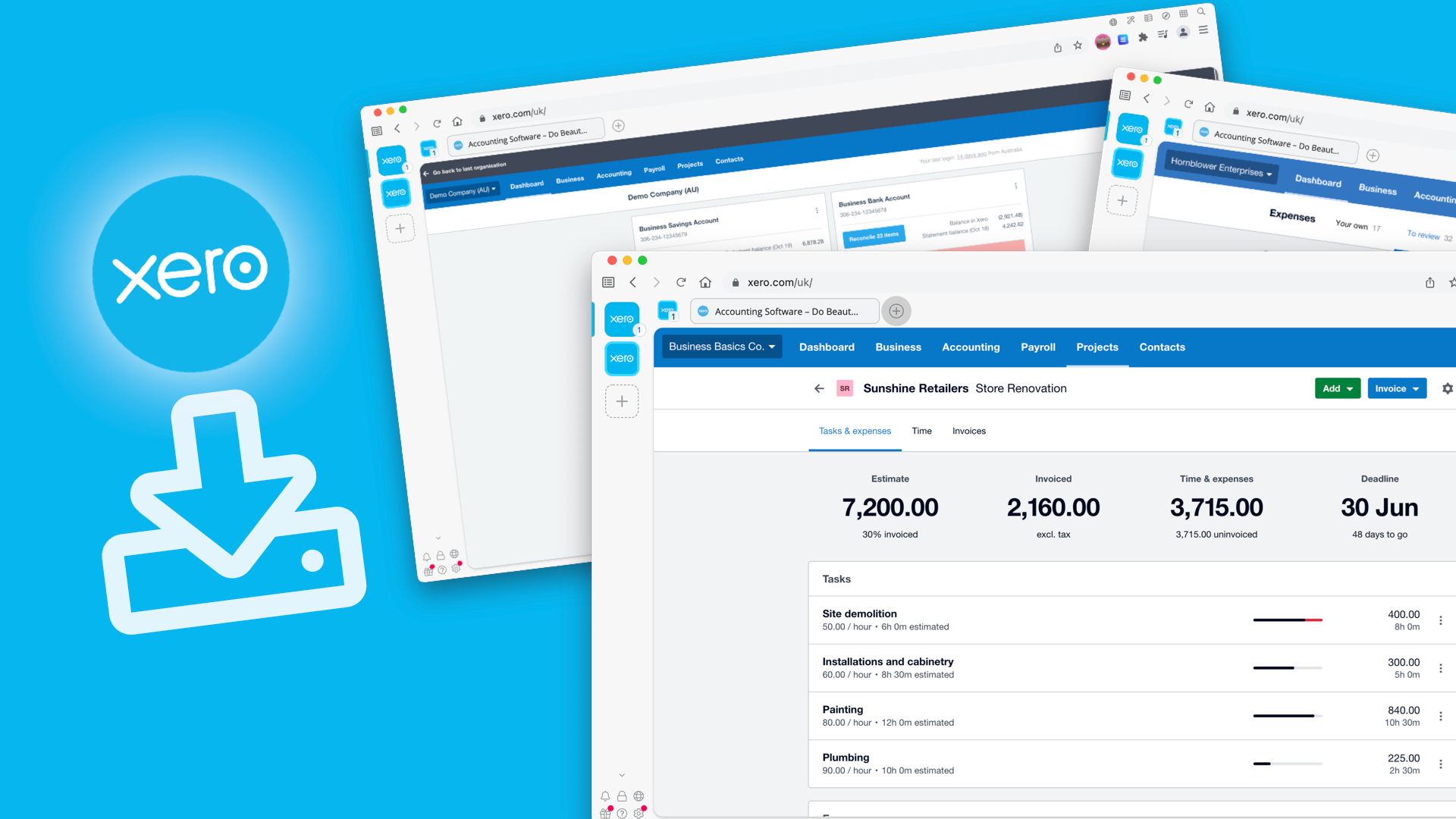
Xero Projects starts at $10 per month and enables project-level tracking of time, expenses, and profitability. Users can create project budgets, allocate costs, invoice for time and materials, and monitor profit margins, making it ideal for project-based industries like consulting, design, agencies, and trades.Xero Expenses simplifies employee expense reimbursement. It allows staff to submit expenses such as travel, meals, and professional development costs, attach receipts via mobile devices, and request reimbursements. Businesses can easily track employee spending and receive alerts for pending reimbursement payments.
When to Choose an Alternative
When to Choose an Alternative
Although Xero is a robust bookkeeping solution for small and mid-sized businesses, it is not well-suited for every type of organization. Below we outline the scenarios where an alternative bookkeeping platform may be a more practical choice.
You have a tight budget
Once promotional periods end, Xero’s pricing starts at $25 per month for its entry-level plan, which comes with strict limits on invoices and bills. The only standout feature justifying this cost is its multi-user support. If you operate solo and do not work with a team, more affordable alternatives are far more sensible.
Zoho Books stands out as the most cost-effective basic bookkeeping option. It offers 1,000 invoices and 1,000 expense payments per year completely free of monthly or service fees. That works out to roughly 83 invoices and 83 expense payments each month—more than enough for most small businesses. The free plan also includes two user seats: one for you and one for your accountant.
You want flexibility in choosing accountants and bookkeepers
While Xero is widely used, QuickBooks remains the dominant player in the bookkeeping software market. User review platforms clearly show that QuickBooks has a far larger customer base than Xero. If you outsource your bookkeeping, finding a QuickBooks specialist will be significantly easier than locating a Xero expert, especially if you have niche or specialized bookkeeping requirements.
You need advanced inventory tracking, job costing, or project management features
Xero’s functionality is designed to be general-purpose. Even though it offers add-ons for project-based industries such as consulting, design, creative agencies, and trades, it lacks advanced industry-specific tools like sophisticated inventory tracking, detailed job costing, or full-featured project management. If your business needs tailored features for your sector, you will either have to rely on third-party integrations or switch to a dedicated bookkeeping system entirely.
To find the right fit for your industry, you can refer to our dedicated buyer’s guides for sector-specific bookkeeping software:
Best Bookkeeping Software for Churches
Best Bookkeeping Software for Construction Companies
Best Farm Bookkeeping Software
Best Bookkeeping Software for Nonprofits
Best Property Management Bookkeeping Software
Best Bookkeeping Software for Restaurants
Conclusion
Overall, Xero is a solid, user-friendly bookkeeping solution tailored to the daily financial needs of small to mid-sized businesses, with standout strengths that make it a competitive choice in the market. Its biggest advantage is unlimited multi-user access across all pricing plans, enabling cost-free collaboration with employees, accountants, and stakeholders that many rival platforms cannot match at similar price points. The core features—including real-time bank reconciliation, Hubdoc receipt capture, customizable reporting, and business snapshot dashboards—cover all essential bookkeeping tasks effectively, and the Standard plan offers exceptional value with unlimited invoices, bills, and robust foundational tools for growing teams. For businesses with international operations, the Premium plan’s multi-currency support and advanced analytics also provide a cost-effective upgrade without the steep price hikes seen in competitors’ top-tier packages.
For all its benefits, Xero is not ideal for every type of organization, and choosing an alternative is smarter in key scenarios. Businesses on a tight budget will find better value in free or low-cost options like Zoho Books, which offers generous usage limits without monthly fees, while those needing industry-specific tools such as advanced inventory tracking, construction job costing, or nonprofit-specific reporting will find Xero’s generalist design lacking. Additionally, QuickBooks’ market dominance makes it far easier to source specialized bookkeeping professionals, a critical factor for companies outsourcing financial work. In short, Xero excels at flexible, collaborative general bookkeeping for small to mid-sized teams, but businesses with tight budgets, niche industry needs, or a preference for widely supported accounting software will benefit more from exploring other solutions.